











Creating a BetKing account gives eligible Nigerian users access to sports betting, live markets, and the account tools available on the platform. Registration can be completed from a desktop browser or a mobile device, provided you are at least 18+ and located in Nigeria. You will need an active Nigerian phone number and accurate personal details. After the account is verified, you can sign in, fund the account through the available options, place bets, and manage your profile.
What You Need Before You Register
Before opening the registration form, prepare the details you are likely to need. This includes a valid Nigerian phone number, your full name, and your date of birth. Use information that matches your identity documents, because inconsistent details can make later account verification or withdrawals more difficult. A working email address may also help with account recovery, although the phone number is central to access and security.
Choose a password that is difficult to guess and do not reuse it on another betting website or social account. A combination of letters, numbers, and symbols is preferable where accepted by the form. Keep the password private and avoid saving it on a shared device. Read the platform's terms and any registration notices before submitting your details, then check that your phone number has been entered correctly.
Step-by-Step: Creating Your BetKing Account
The account registration process starts on the official BetKing website. Open the registration page, check that the connection is secure, and complete the form without abbreviating your name or entering another person's phone number. The exact fields can change as the platform is updated, but the main sequence is usually as follows:
- Step 1: Open the registration page and select the option to create a new account.
- Step 2: Enter your Nigerian mobile number and any requested personal details.
- Step 3: Create a strong password and confirm it in the relevant field.
- Step 4: Review the information carefully, including your date of birth and contact number.
- Step 5: Accept the applicable terms and submit the completed form.
- Step 6: Enter the verification code sent to your phone, if requested, and then sign in.
Do not refresh the page repeatedly while the form is being submitted. If a verification message does not arrive, check the number, wait briefly, and request another code only when the page provides that option. Repeated attempts can create confusion about which code is current. For an unresolved registration problem, use the customer support contact page rather than opening a second account.
Registering from a Mobile Device
A smartphone browser can handle the full registration flow without requiring a separate download. Use a current version of Chrome, Firefox, Safari, or the standard browser on your device, and keep the connection stable while entering the form. A mobile-friendly layout should make the fields usable on smaller screens, but rotating the phone or zooming in can help if a field is difficult to read.
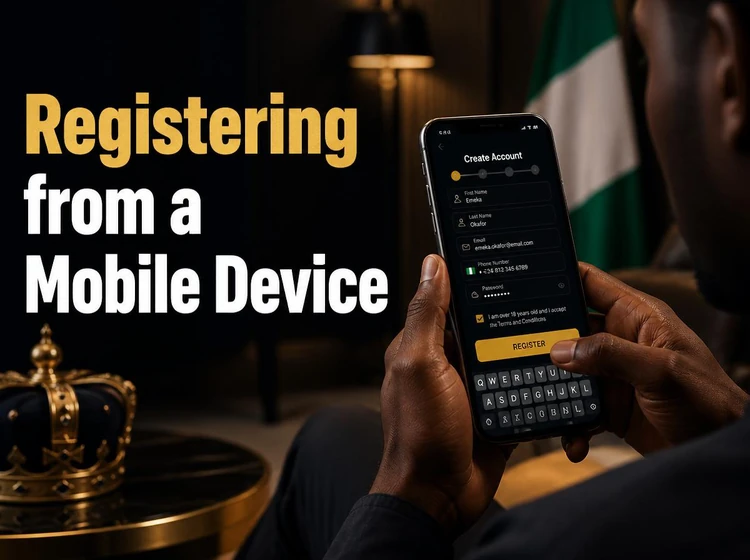
If you use the BetKing mobile app, install it only from an official source and review the permissions before proceeding. The browser version remains a practical alternative if you do not want an app. Avoid completing registration over an unsecured public Wi-Fi network, especially when entering a password or verification code. If the SMS is delayed, stay on one connection, confirm that the phone can receive messages, and avoid sharing the code with anyone.
Using Your Phone Number to Open an Account
The phone number connected to the account is used for login, verification, password recovery, and security notifications. Use a number that you control and expect to keep active. A temporary or borrowed number can leave you unable to receive a reset code later, even if the rest of your personal information is correct.
When the platform sends a one-time code, enter it only on the official registration screen. Never send the code to another person claiming to represent support. If you change your number, follow the account's approved update procedure and complete any requested verification before relying on the new contact detail. Keeping the old number active until the change is confirmed can reduce recovery problems.
Managing Your Account After Registration
After signing in, review the profile settings and confirm that your name, date of birth, and phone number are correct. Make changes promptly if you notice an error, but do not create a duplicate account to fix a profile problem. Keep a record of the phone number used for registration and the recovery details associated with the account.
If you forget your password, use the recovery option on the login page. Follow the instructions sent to your registered contact method and create a new password that you have not used elsewhere. Log out of shared computers, avoid storing credentials in a public browser, and update your device's operating system and browser. These simple measures reduce the risk of someone accessing your betting account.
Legacy Mobile Interfaces
Older lightweight mobile interfaces may look different from the current website. Platform names and page layouts can change as browsers, security requirements, and mobile networks develop, so an old bookmark may no longer lead to the active registration flow. Use the latest official site rather than relying on an old shortcut, downloaded file, or message containing an unfamiliar link.
If you already registered through an earlier interface, try signing in with the existing credentials before attempting a new registration. Creating another account can conflict with the platform's rules and may make identity checks harder. If access fails, use password recovery or contact support with enough information for the team to locate the account, but do not disclose your password or one-time codes.
Responsible Account Management
Registration also creates access to tools for managing betting activity. Depending on the options available in the account, these may include deposit limits, a temporary break, or a restriction on access for a chosen period. Set a limit before betting if you want a clear spending boundary, and treat it as a control rather than a target to reach.
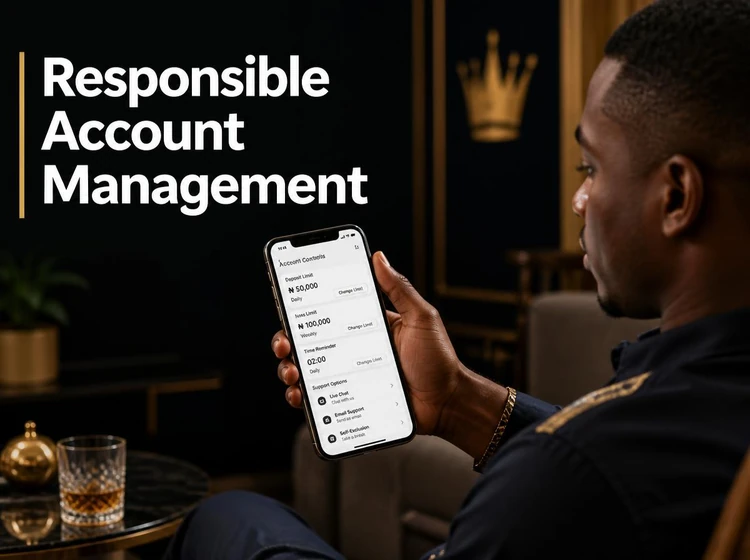
If you need to block the account temporarily or permanently, check the responsible gambling controls or contact customer support through an official channel. Ask what restriction options are available and when they take effect; do not assume that deleting an app or logging out blocks access. The responsible gambling page provides further guidance on account control. If betting is causing financial or personal difficulties, stop and seek support from a trusted person or an appropriate local service.
Conclusion
BetKing registration in Nigeria is easiest when you prepare accurate personal details, use a phone number you control, and complete verification carefully. The same account can generally be accessed from a desktop browser or a compatible mobile device, but security remains your responsibility on every device. Use the current official registration channel, protect your login credentials, and review account-control tools before placing bets. If anything appears unclear, pause the process and contact support instead of guessing or creating a duplicate account.